The argument is over.
ScreenWage turns "can I play?" into "here's what I earned." Kids earn game time through chores and real-world activity. You approve every minute. The negotiation leaves the room, because the ledger already answered.
No accounts. No ads. No subscription. Your family's data never leaves your family's phones.
Free tier is the complete system, forever. No trial clock.
Built and tested by a practicing K–12 special-education case manager — running in his own home, with his two sons.
How kids earn screen time — three steps, one honest ledger.
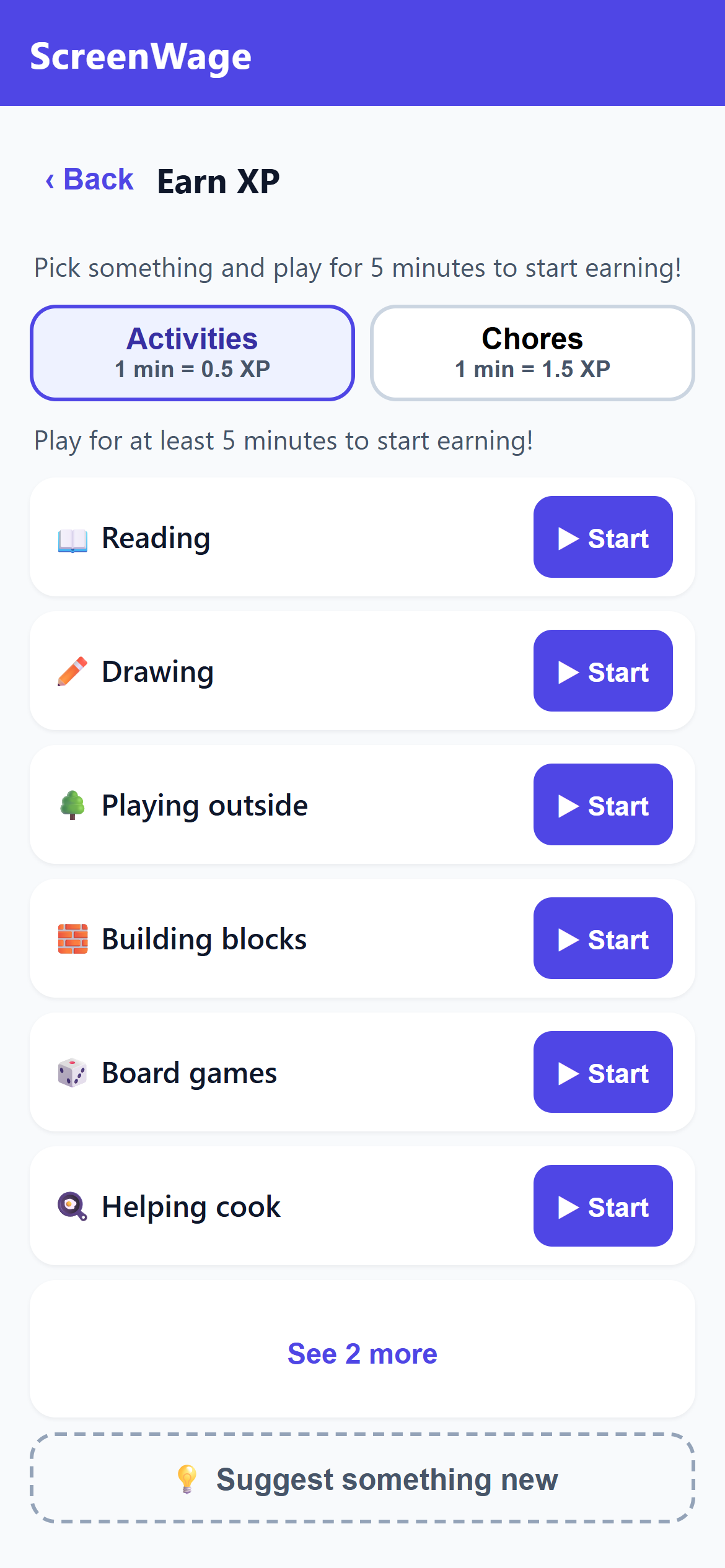
Real minutes become XP
Off-screen activities earn at 2 real minutes → 1 XP; chores earn faster, at 1 minute → 1.5 XP. Play at least 5 minutes to start earning. Kids tap Start, do the thing, and stop — or log it by hand if a timer wasn't running.
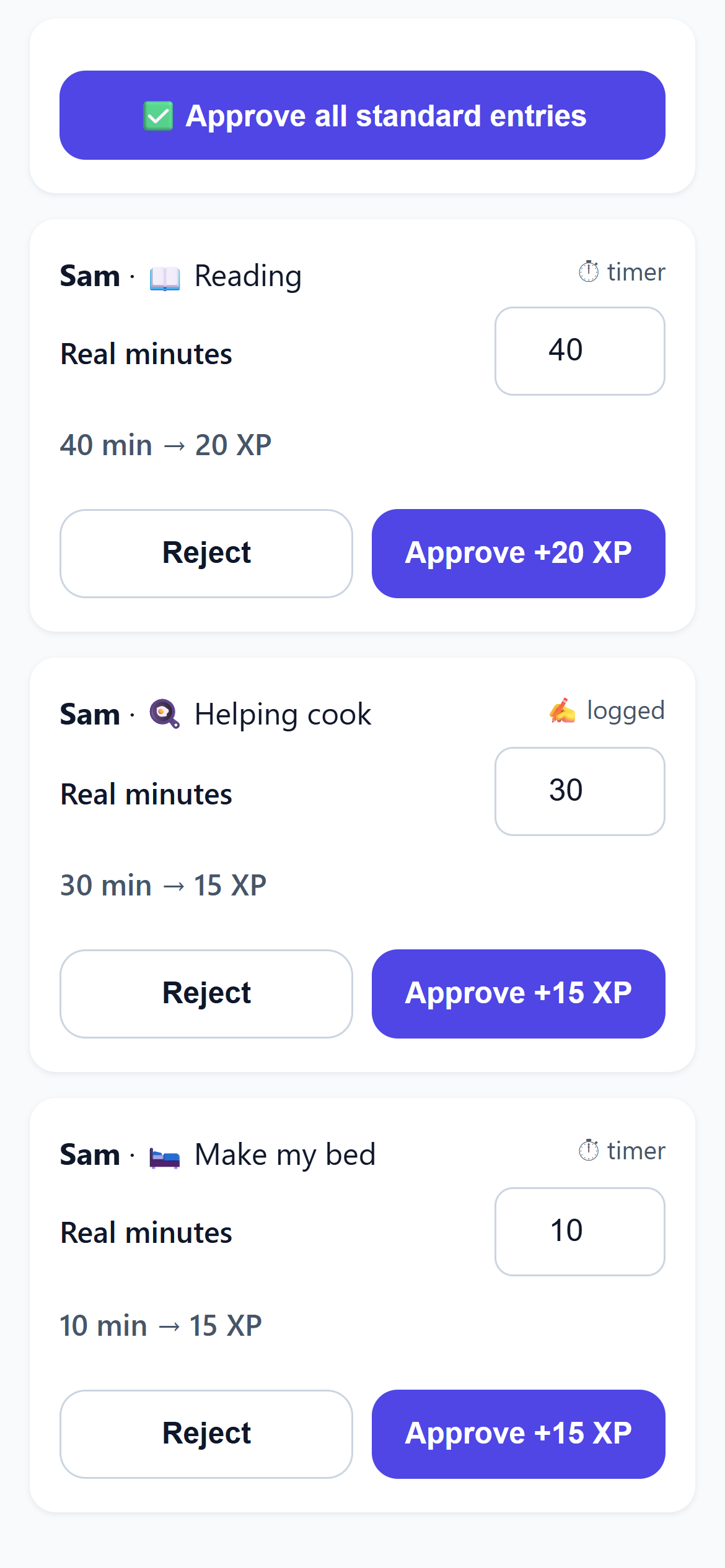
A parent signs every line
Every earn goes through PIN-protected parent mode. Nothing lands in the bank until you say it happened. Spending stays locked until the daily Foundation checklist — teeth, dressed, meds if any, a real meal, water, mess cleaned up — is cleared by you, not by the app.
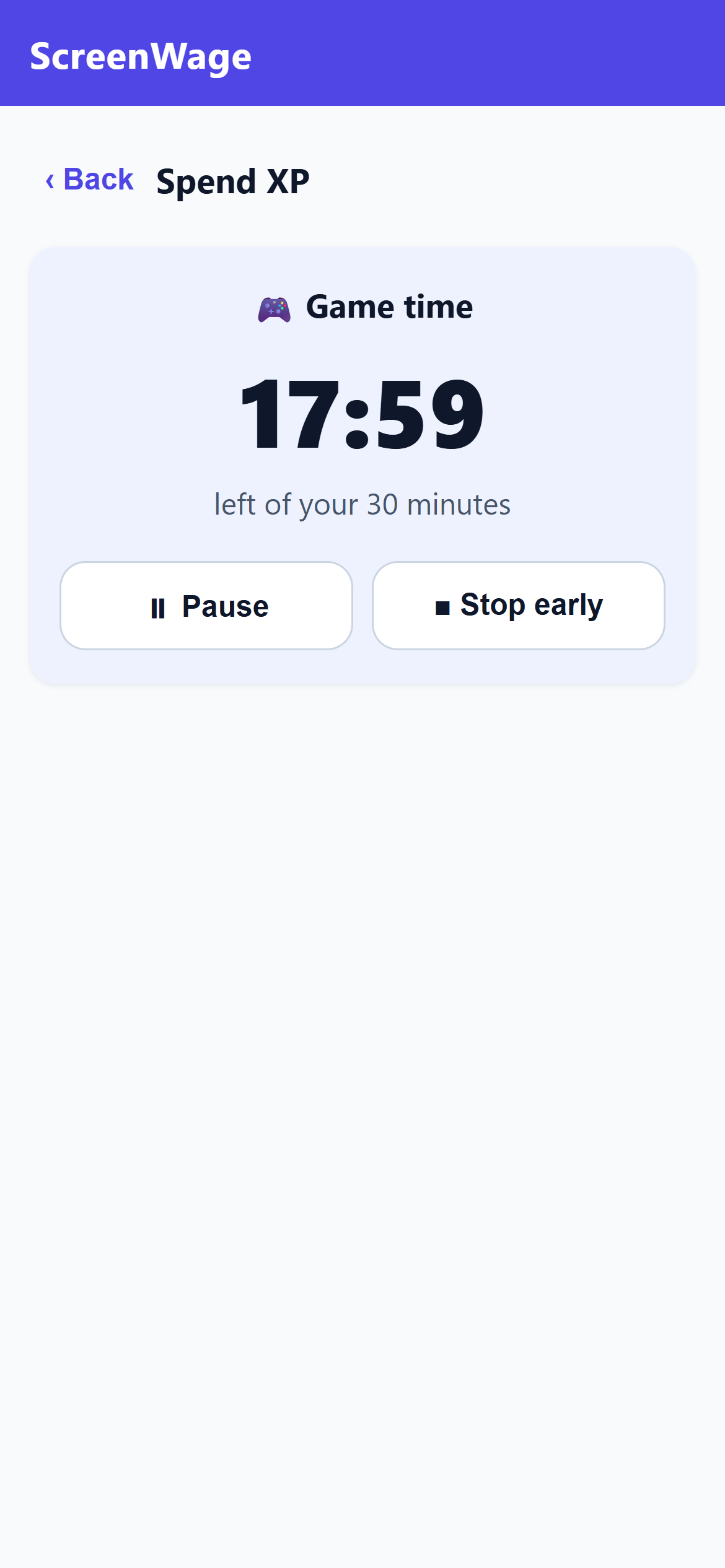
XP buys game time
1 XP = 1 minute of play. Kids spend from a bank they built themselves. When the timer runs out, the answer to "five more minutes?" is the same one the ledger gives: earn more.
Built to grow character, not just track chores.
Most apps in this aisle measure compliance — did the streak survive, did the box get checked. ScreenWage is built to grow the skill underneath, and streaks are the clearest example: every other app rewards a flawless run, then resets a kid to zero the day life gets in the way. The skill that actually transfers — especially for a kid with ADHD — was never “don’t miss a day.” It’s coming back the day after you do, so ScreenWage rewards the comeback instead of punishing the slip. More on why streak apps fail kids with ADHD.
The honesty clause.
Tell the truth about a broken rule before it's discovered, and any penalty is cut in half — automatically, every time. The system pays for honesty because honesty is the skill we're actually teaching.
The Foundation gate.
Before any XP gets spent, the day's basics get cleared — teeth, dressed, meds if any, a real meal, water, mess cleaned up. You confirm the daily Foundation checklist, and the bank stays closed until you do. First things first, every day, without it being an argument.
Progress that only goes up.
The count moves one direction: up. ScreenWage tallies the days your kid has shown up as a running lifetime total — a missed day simply adds nothing, and milestone rewards unlock at total days reached, never clawed back. It’s arithmetic, not willpower: a number built only from real days done can’t fall.
No leaderboard. Ever.
Siblings aren't competitors. There is no ranking screen in any tier of ScreenWage, and there never will be. Each kid runs their own race against their own habits.
Generosity pays interest.
A kid can gift XP to a sibling — and the app mints a 25% parent match on top as a bonus. Family goals accrue from earning, never by taxing kids' banks. Giving should cost less than it gives.
$19 once. Not $19 a month.
Joon runs about $156 a year at its monthly rate — and even prepaid, its annual plan is $89.99, still nearly five times ScreenWage. Chirp, Qustodio, ScreenCoach: all monthly, forever. ScreenWage is one payment — unlock everything, keep it for good, never see another charge. The free version already runs your whole day; the Founder's Key just makes it yours to customize.
| App | Price | 1 year | 2 years |
|---|---|---|---|
| Joon | $12.99/mo · $89.99/yr | $89.99 | $179.98 |
| Qustodio (Complete) | $99.95/yr | $99.95 | $199.90 |
| Greenlight (Core) | $5.99/mo | $71.88 | $143.76 |
| Chirp | $6.99/mo · $49.99/yr | $49.99 | $99.98 |
| BusyKid | $4/mo, billed $48/yr | $48.00 | $96.00 |
| ScreenWage Founder's Key | $19 once | $19 | $19 |
Annual-plan pricing where offered (the cheapest way to buy each app). Published prices as of July 2026; check each provider for current rates. These apps differ in scope — some include debit cards or device-level filtering that ScreenWage deliberately doesn't do. The comparison is what a family pays over time to run an earn-and-reward system at home. And the ScreenWage free tier is $0 on every line.
Your family's data never leaves your family.
Remember OurHome? Families woke up locked out of years of chores, points, and history — trapped on servers that quietly went dark. That can't happen here. Everything lives on your own devices, syncs end-to-end encrypted through a relay that stores only scrambled data it can never read, and exports to a file you keep. If we vanished tomorrow, your family's system would still work.
- No accounts. Nobody signs up for anything. There is no email field, no password, no profile on a server somewhere. Your family's ledger lives on your family's phones.
- The relay can't read your data. When a parent phone and kid phones sync, the data travels end-to-end encrypted through a relay that stores only ciphertext. We couldn't look at your family's information if we wanted to — the math won't let us.
- Works completely offline. A full offline code system runs the whole earn-approve-spend loop with no connection at all. Camping trip, dead zone, no Wi-Fi — the ledger doesn't care.
- Location stamps are optional, single-moment, and never exported. If you turn them on, outdoor activities get a one-time GPS stamp at start and stop — never continuous tracking — and those stamps are excluded from every backup and export.
- Your data belongs to you, free. JSON export, a printable family report, and full restore are all in the free tier — deliberately. Leaving should never cost money, and your records should never be hostage to a plan.
- Two parents, two phones. A co-parent can pair a second device to see the kids' pending approvals, clear the daily Foundation gate, give a bonus or deduction, and run the weekly recap. One phone stays the single source of truth — a co-parent's action lands the next time that ledger phone syncs, never behind your back.
- Handing a phone down? A clean per-device unpair resets a kid's or co-parent's phone to a blank slate for the next person, while the family's data stays safe on the ledger, untouched.
- Locked out? PIN recovery works from a recovery phrase you hold. For everything else that could go wrong, we wrote it down honestly: What happens if…
One thing we’ll be straight about: honor-system screen time.
ScreenWage runs on trust and your authority as the parent. It tracks and banks time — it doesn't seize control of your child's phone or lock them out. Game time gets spent on the consoles and TVs you already control, so the ledger is the lock. If what you need is hard surveillance and a device that locks itself, we'll be honest: buy Qustodio or Bark instead. ScreenWage is for families who'd rather build the habit than fight the arms race.
Free is the product. The Key makes it yours.
Free
$0
forever · no trial clock · no card- The complete earning system with a fixed, field-tested ruleset
- Parent mode, approvals, the daily Foundation gate
- Honesty clause, progress that never resets, sibling gifting with parent match
- Multi-device sync and full offline codes
- JSON export, printable family report, restore
Founder's Key
$19
one-time · yours for good · not a subscription- Everything in Free, plus full customization:
- Set your own earning rates and multipliers
- Edit the activity and chore menus
- Adjust seasons, caps, and the parent-match percentage
- Tune the system to your family instead of ours
FAQ
Does ScreenWage lock or control my kid's phone?
No — that's a design choice, not a gap, and it matters enough that we put it up top under "One thing we'll be straight about." Short version: ScreenWage banks time on trust with your approval; it doesn't lock the device, and it pairs fine alongside a locker if you use one.
What happens if I lose my phone?
The free tier includes full JSON export and restore, and PIN recovery works from a recovery phrase you keep. We wrote a whole page walking through every failure case — including the uncomfortable ones — in plain language: What happens if…
What if I forget my PIN?
You reset it yourself — no wipe, no lost data. On the app's "Forgot PIN?" screen you set a new PIN by proving the family is yours one of two ways: the four-word recovery phrase you saved at setup, or any backup export of your family (a JSON file or a recovery code). The backup route works even if you never wrote down a phrase — and it all happens on your device, with no account to reset and nothing for us to unlock.
Is my kid's data collected?
No. There are no accounts and no analytics, so there's nothing on our side holding anyone's data. When your family's phones sync, the information travels end-to-end encrypted through a relay that only ever sees scrambled ciphertext it cannot decode. The readable copy of your family's ledger exists in exactly one place: on your family's own devices.
Do I need to install anything from an app store?
No. ScreenWage is an installable web app (PWA). Open it in your phone's browser, choose "Add to Home Screen," and it installs and runs like a native app — including offline. No store account, no store tracking, no waiting on updates.
Can both parents use it?
Yes. One phone is the family ledger — the single source of truth for banks, approvals, and history. A second parent can pair a co-parent device that sees the kids' pending XP and can approve it, clear the daily Foundation gate, give a bonus or deduction, and run the weekly recap. Co-parent actions take effect the next time the main ledger phone syncs — not instantly — so there's always one clean record. It's included in the free tier.
What exactly do the earning rates look like?
In the free tier's fixed ruleset: non-tech activities earn at 2 real minutes → 1 XP, chores earn at 1 minute → 1.5 XP, and 1 XP always buys 1 minute of game time. A session needs at least 5 minutes to start earning. Spending stays closed until a parent confirms the daily Foundation checklist. The Founder's Key lets you change the rates, menus, and caps to fit your house.
Is the free version a trial?
No. Free is the complete, working system with a fixed ruleset — the same one the developer's own family runs. It never expires, never nags, and never holds your data hostage. The $19 Founder's Key adds customization; it doesn't unlock the app.
Who made this?
A practicing K–12 special-education case manager in the Chicago suburbs, who built it for his own two sons and then made it available to everyone. ScreenWage is a product of Clear Educational Advocacy and Consulting.